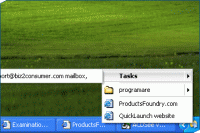
Quick access files, folder, webpages straight from your tray bar, manage startup services and applications, automate and schedule tasks and actions starting with applications, internet dialing or even get notified when a new email arrives in your mailbox.
QuickLaunch allows you to create shortcuts to the files, folders and web pages you use frequently. You can then access them very easily - with 2 clicks! - straight from the QuickLaunch tray bar icon.With QuickLaunch you can also schedule programs to launch automatically at either a pre-determined time, or have them launch automatically when your computer is starting up (booting). Do you sometimes forget something? You can also have QuickLaunch to send you, your own hand-typed reminder notes on a routine schedule, or at any pre-determined time of your choosing. Too many programs or services starts on reboot, QuickLaunch gives you the ability to manage them. Operating system: Win95,Win98,WinME,WinNT 3.x,WinNT 4.x,WinXP,Windows2000 Release notes: Major Update
Step on the gas...and stay in control. 7Smoker Pro allows you to change various settings in the Windows Registry. These settings can improve the performance of your computer.
Price: $9.99, Rating: 6, Downloads: 253 Download
Make your PC run like new! Protect your data from malware and intruders. System Mechanic Pro combines 6 powerful products to optimize your registry, defragment drives and memory, speed up your computer, scrub personal data, and remove spyware.
Price: $27.98, Rating: 6.97, Downloads: 229 Download
iSysCleaner is a freeware system optimization tool. It removes all unused files from your system with few clicks and faster - freeing up valuable hard disk space.
Price: $0, Rating: 10, Downloads: 163 Download
Stellar Smart - A Hard Drive / Disk monitoring software to diagnosis and monitor the activity of Hard drive as Temperature, Head Flying Height, Spin-Up Time.Stellar Smart acts as an "early warning system" for pending hard disk problems.
Price: $49, Rating: 8, Downloads: 144 Download
User Rating
Rating:2.2 out of
5 Based on13 ratings.
13 user reviews.

 QuickLaunch 2.5 details